
JavaScript Pitfalls Guide
A practical guide to the most surprising JavaScript pitfalls every beginner faces — from type coercion and floating-point precision to equality quirks — explained through clear examples so you truly understand how JS works.

Ivan Borshchov
CEO

This is a meme-inspired tour of "Thanks for inventing JavaScript" moments.
Crucial for every who writes at least one line of JS.
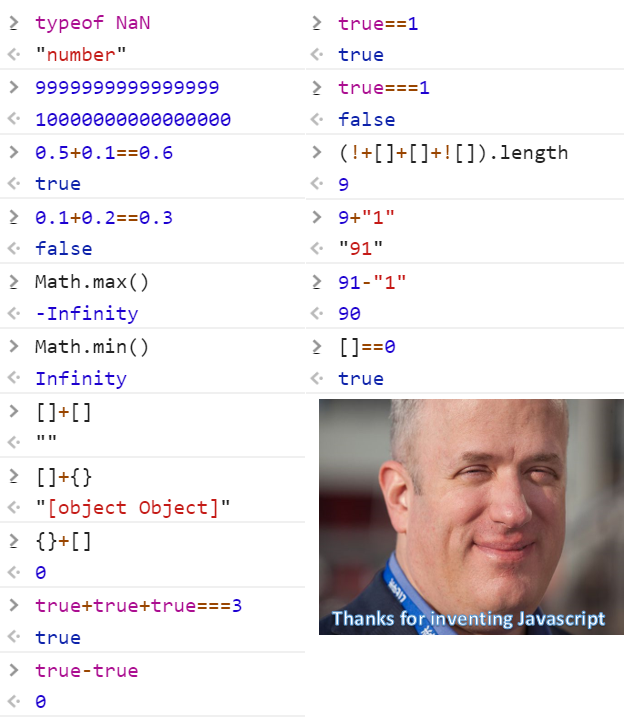
This guide focuses on examples first.
Each snippet shows the result in a comment.
1. NaN is a number
typeof NaN
// "number"
Why?
In JS, NaN (Not-a-Number) is part of the numeric type system.
Number.isNaN(NaN)
// true
2. Floating Point Precision
0.1 + 0.2 === 0.3
// false
0.5 + 0.1 === 0.6
// true0.1 + 0.2
// 0.30000000000000004Math.abs((0.1 + 0.2) - 0.3) < Number.EPSILON
// true3. Large Integers Lose Precision
9999999999999999
// 10000000000000000Number.MAX_SAFE_INTEGER
// 90071992547409919999999999999999n
// 9999999999999999n4. Math.max() and Math.min() Without Arguments
Math.max()
// -Infinity

Math.min()
// Infinity
5. Truthy / Falsy Madness
[] == 0
// true

"" == 0
// true

null == undefined
// true

null === undefined
// false
6. true == 1
true == 1
// true

true === 1
// false
7. Boolean Arithmetic
true + true + true === 3
// true

true - true
// 0
8. String + Number
9 + "1"
// "91"

91 - "1"
// 90
9. Arrays + Arrays
[] + []
// ""

[] + {}
// "[object Object]"
10. typeof null
typeof null
// "object"
11. NaN Is Not Equal to Itself
NaN === NaN
// false

Number.isNaN(NaN)
// true
12. Implicit Conversion Tricks
(![] + [])[+[]] + (![] + [])[+!+[]]
// "fa"
13. Falsy Values
false
0
-0
0n
""
null
undefined
NaN
14. parseInt Gotcha
parseInt("08")
// 8

parseInt("10", 10)
// 10
15. Array(3) vs [3]
Array(3)
// [ <3 empty items> ]

Array(3).fill(0).map(x => 1)
// [1,1,1]
16. Comparing Objects
{} === {}
// false

[] === []
// false
17. Arrow vs Regular this
const obj = {
  value: 42,
  regular() { return this.value },
  arrow: () => this.value
}

obj.regular()
// 42

obj.arrow()
// undefined
18. setTimeout Loop Gotcha
for (var i = 0; i < 3; i++) {
  setTimeout(() => console.log(i), 0)
}
// 3
// 3
// 3
for (let i = 0; i < 3; i++) {
setTimeout(() => console.log(i), 0)
}
// 0
// 1
// 2Survival Rules
- Prefer
===over== - Use
Number.isNaN - Avoid implicit coercion
- Use
BigIntfor large integers - Use
let/const - Always specify radix in
parseInt
JavaScript is not broken.
It is just very consistent in its own rules.