

How to extend EC2 ext3 filesystem
How to extend disk on existing EC2 instance

Ivan Borshchov
CEO

On Amazon console go to Volumes, Right-click on item attached to your EC2 instance, enter new size (In the example I extended up to 32G):
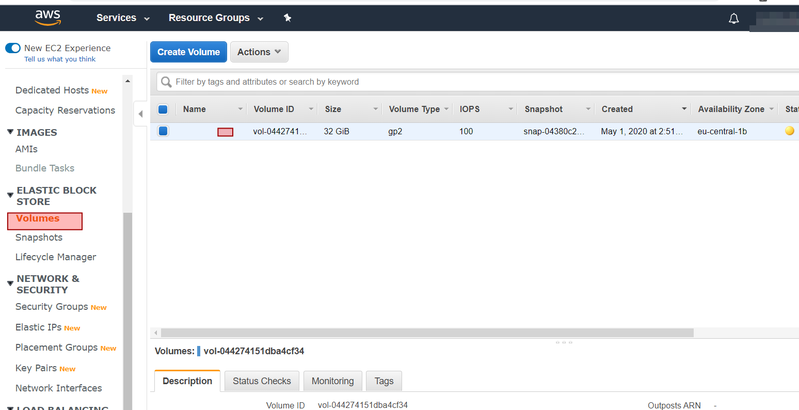
Login into your EC2 instance and write:
lsblkIt will show partitions:
NAME    MAJ:MIN RM  SIZE RO TYPE MOUNTPOINT
loop0     7:0    0 93.8M  1 loop /snap/core/8935
loop1     7:1    0   18M  1 loop /snap/amazon-ssm-agent/1566
loop2     7:2    0 93.9M  1 loop /snap/core/9066
xvda    202:0    0   32G  0 disk
└─xvda1 202:1    0    8G  0 part /
We see xvda with 32Gb and xvda1 with old size 8Gb, lets extend it.
Run:
sudo growpart /dev/xvda 1
sudo resize2fs /dev/xvda1